The Cisco Secure Firewall 3100 series is the latest Next-Generation Firewall (NGFW) product from Cisco. The 3100 can be deployed to run either the classic ASA or the latest Firewall Thread Defense (FTD) software.
The 3100 front chassis has a fixed 8x RJ45 ports (Ethernet 1/1 - 1/8) and 8x fiber SFP ports (Ethernet 1/9 - 16).

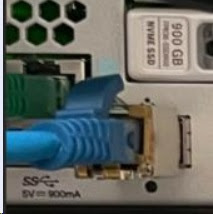
The 3100 have an RJ45 and USB Console ports which are just beside the Management port (left).

The out of band Management port (Management 1/1) would need a GLC-TE copper SFP.
The 3100 has dual power supplies found in the rear and they're hot-swappable. It also has a power on/off toggle switch found on the left hand side.

I ran the classic ASA software and followed the upgrade path. I always choose an ASA software with a Long Term Release (LTR) which will be supported for 36 months (3 years) in terms of TAC support and software patches. LTR is designated by an even number in the second digit of its major release, i.e. FTD 6.4 and ASA 9.12.


Aside from the ASA upgrade path, you should also follow the ASA and ASDM Compatibility Matrix (Table 2). In this case I chose ASA version 9.18 and its compatible ASDM should be 7.20(1).

You can download the 3100 ASA software and ASDM from the Cisco Software Download page. The upgrade procedure is identical with the classic ASA. Just change the boot variable to point to the new ASA version stored in flash memory (disk0).
The ASA now use Smart License which started around ASA version 9.4.
First, transfer the ASA and ASDM images to flash memory then verify the MD5 hash.
cisocasa# copy ftp://ftpuser:ftp123@172.16.5.2/cisco-asa-fp3k.9.18.3.56.SPA disk0:
Address or name of remote host [172.16.5.2]?
Source username [ftpuser]?
Source password []? *******
Source filename [cisco-asa-fp3k.9.18.3.56.SPA]?
Destination filename [cisco-asa-fp3k.9.18.3.56.SPA]?
Accessing ftp://ftpuser:<password>@172.16.5.2/cisco-asa-fp3k.9.18.3.56.SPA...
!!!!!!!!!!
!!!!!!!!!!!!!!!!!!!!!!!!!!!!!!!!!!!!
Verifying file disk0:/cisco-asa-fp3k.9.18.3.56.SPA...
Writing file disk0:/cisco-asa-fp3k.9.18.3.56.SPA...
738779600 bytes copied in 4515.190 secs (163627 bytes/sec)
cisocasa# copy ftp://ftpuser:ftpuser@172.16.5.2/asdm-7201.bin disk0:
Address or name of remote host [172.16.5.2]?
Source username [ftpuser]?
Source password []? *******
Source filename [asdm-7201.bin]?
Destination filename [asdm-7201.bin]?
Accessing ftp://ftpuser:<password>@172.16.5.2/asdm-7201.bin...
!
!!!!!!!!!!!!!!!!!!!!!!!!!!!!!!!!!!!!!!!!!!!!!!!!
Verifying file disk0:/asdm-7201.bin...
Writing file disk0:/asdm-7201.bin...
116798028 bytes copied in 1029.990 secs (113506 bytes/sec)
ciscoasa# dir
Directory of disk0:/
<OUTPUT TRUNCATED>
1610981055 -rwx 116798028 02:22:49 Nov 01 2023 asdm-7201.bin
1610973629 -rwx 738779600 12:51:00 Oct 31 2023 cisco-asa-fp3k.9.18.3.56.SPA
8 file(s) total size: 972729823 bytes
16106127360 bytes total (14880296960 bytes free/92% free)
You can compare the hash output with the hash published in the Cisco Software Download website to confirm its authenticity and it's not corrupted during the file transfer.
ciscoasa# verify /md5 cisco-asa-fp3k.9.18.3.56.SPA
!!!!!!!!!!!!!!Done!
verify /MD5 (disk0:/cisco-asa-fp3k.9.18.3.56.SPA) = f466853bcebf15c81279e956e6c37906
ciscoasa# verify /md5 asdm-7201.bin
!!!!!!!!!!!!!!!!!!!!!!!!!!!!!!!!!!!!!!!!!!!!!!!!!!!!!!!!!!!!!!!!!!!!!!!!!!!!!!!!!!!!!!!!Done!
verify /MD5 (disk0:/asdm-7201.bin) = ba376c64777461ca587f8a8b5578554e
The ASA currently runs version 9.17 and ASDM 7.18.
ciscoasa# show version
Cisco Adaptive Security Appliance Software Version 9.17(1)21
SSP Operating System Version 2.11(1.191)
Device Manager Version 7.18(1)152
Compiled on Wed 16-Nov-22 00:04 GMT by builders
System image file is "disk0:/installables/switch/fxos-k8-fp3k-lfbff.2.11.1.191.SPA"
Config file at boot was "startup-config"
ciscoasa up 7 days 15 hours
Start-up time 3 secs
Hardware: FPR-3110, 52169 MB RAM, CPU Ryzen Zen 2 2900 MHz, 1 CPU (24 cores)
Encryption hardware device : Cisco ASA Crypto on-board accelerator (revision 0x1)
AE microcode : CNN5x-MC-AE-MAIN-0007
SE SSL microcode : CNN5x-MC-SE-SSL-0018
Number of accelerators: 1
1: Int: Internal-Data0/1 : address is 0000.0041.0004, irq 239
3: Int: Not licensed : irq 0
4: Ext: Management1/1 : address is c47e.e07e.1482, irq 0
5: Int: Internal-Data1/1 : address is 0000.0100.0001, irq 0
License mode: Smart Licensing
Licensed features for this platform:
Maximum Physical Interfaces : Unlimited
Maximum VLANs : 1024
Inside Hosts : Unlimited
Failover : Active/Active
Encryption-DES : Enabled
Encryption-3DES-AES : Disabled
Security Contexts : 2
Carrier : Disabled
AnyConnect Premium Peers : 3000
AnyConnect Essentials : Disabled
Other VPN Peers : 3000
Total VPN Peers : 3000
AnyConnect for Mobile : Enabled
AnyConnect for Cisco VPN Phone : Enabled
Advanced Endpoint Assessment : Enabled
Shared License : Disabled
Total TLS Proxy Sessions : 4000
Cluster : Enabled
Serial Number: FJZ27231234
Configuration register is 0x1
Configuration last modified by enable_15 at 02:47:41.036 UTC Wed Nov 1 2023
Change to the boot variable to point to the new ASA and ASDM image. Save the config and reload for the new ASA version to take effect. It's highly recommended to monitor the upgrade procedure via the console.
ciscoasa#
ciscoasa# show run asdm
no asdm history enable
ciscoasa# configure terminal
ciscoasa(config)# boot system disk0:/cisco-asa-fp3k.9.18.3.56.SPA
The system is currently installed with security software package 9.17.1.21, which has:
- The platform version: 2.11.1.191
- The CSP (asa) version: 9.17.1.21
Preparing new image for install...
!!!!!
Image download complete (Successful unpack the image).
Installation of version 9.18.3.56 will do the following:
- upgrade to the new platform version 2.12.0.519
- upgrade to the CSP ASA version 9.18.3.56
After installation is complete, ensure to do write memory and reload to save this config and apply the new image.
Finalizing image install process...
Install_status: ready.............................
Install_status: validating-images.
Install_status: upgrading-system
Install_status: upgrading-firmware
Install_status: update-software-pack-completed
ciscoasa(config)# asdm image disk0:/asdm-7201.bin
ciscoasai(config)# end
ciscoasa# write memory
Building configuration...
Cryptochecksum: 9db145a0 ceddd2a5 4416d104 91137070
14594 bytes copied in 0.260 secs
[OK]
It took around 2 mins for installing the new ASA software to finish.
ciscoasa# show run boot
boot system disk0:/cisco-asa-fp3k.9.18.3.56.SPA
ciscoasa# show run asdm
asdm image disk0:/asdm-7201.bin
no asdm history enable
ciscoasa# reload
Proceed with reload? [confirm]
ciscoasa#
***
*** --- START GRACEFUL SHUTDOWN ---
Shutting down Application Agent
Shutting down isakmp
Shutting down webvpn
Shutting down sw-module
Shutting down License Controller
Shutting down File system
***
*** --- SHUTDOWN NOW ---
Process shutdown finished
Rebooting... (status 0x9)
..
<13>Nov 1 04:08:42 root: FXOS shutdown log started: pid = 955 cmdline = /bin/sh/sbin/fxos_log_shutdown ####
Broadcast message from root@firepower-3110 (Wed Nov 1 04:08:42 2023):
The system is going down for reboot NOW!
2023 Nov 01 04:08:44 PMLOG: PM IPC UTILITY: Shutting down all ports
Stopping OpenBSD Secure Shell server: sshd
stopped /usr/sbin/sshd (pid 8992)
done.
Stopping Advanced Configuration and Power Interface daemon: stopped /usr/sbin/acpid (pid 1403)
acpid.
Stopping web server: apache2failed
Stopping system message bus: dbus.
Stopping DHCP server: dhcpd3no /usr/sbin/dhcpd found; none killed
.
stopping DNS forwarder and DHCP server: dnsmasq... no /usr/bin/dnsmasq found; none killed
stopping mountd: done
stopping nfsd: .done
Stopping ntpd: start-stop-daemon: warning: killing process 1441: No such process
done
Stopping internet superserver: xinetd.
stopping statd: done
Stopping random number generator daemon.
Stopping domain name service: named.
Stopping crond: OK
Stopping rpcbind daemon...
done.
Stopping fan control daemon: fancontrol... no process in pidfile '/var/run/fancontrol.pid' found; none killed
done.
Stopping sensors logging daemon: sensord... stopped /usr/sbin/sensord (pid 2433)
done.
* Stopping virtualization library daemon: libvirtd [fail]
Deconfiguring network interfaces... done.
Stopping FreeRADIUS daemon radiusd Failed
Wed Nov 1 04:08:45 UTC 2023
SSP-Security-Module is shutting down ...
Wed Nov 1 04:08:45 UTC 2023 SHUTDOWN WARNING: Beginning System Shutdown request for CSP Apps
Wed Nov 1 04:08:45 UTC 2023 SHUTDOWN WARNING: Upgrade process ready for reboot
Wed Nov 1 04:08:45 UTC 2023 SHUTDOWN WARNING: Continue System Shutdown request for CSP Apps
DEBUG-CSPM: Checkpoint: autorun exist
Nov 1 04:08:45 firepower-3110 NVRAM: Confreg value: confreg = 0x1
DEBUG-CSPM: Checkpoint: autorun exist
omit_pids_opt: -o 680,683
Wed Nov 1 04:08:49 UTC 2023
Sending ALL processes the TERM signal ...
Note: SIGKILL_ALL will be triggered after after 1 + 2 secs ...
Wed Nov 1 04:08:51 UTC 2023
Sending ALL processes the KILL signal ...
Wed Nov 1 04:08:52 UTC 2023
Deactivating swap...
Unmounting local filesystems...
Stop Soft RAID
2023 Nov 01 04:08:53:
Soft-RAID configuration started
2023 Nov 01 04:08:53: found 1 devices
2023 Nov 01 04:08:53: enter FSM state PROBE
2023 Nov 01 04:08:53: probe /dev/nvme0n1
2023 Nov 01 04:08:53: superblock meta entries 6
2023 Nov 01 04:08:53: sysfs_probe_md: version=1.0, level=raid1, state=active
2023 Nov 01 04:08:53: enter FSM state DESTROY
2023 Nov 01 04:08:53: /sbin/mdadm --stop /dev/md0: 0
2023 Nov 01 04:08:54: enter FSM state PROBE
2023 Nov 01 04:08:54: probe /dev/nvme0n1
2023 Nov 01 04:08:54: superblock meta entries 6
2023 Nov 01 04:08:54: Soft-RAID configuration exit
2023 Nov 01 04:08:55: retrieving device list ...
2023 Nov 01 04:08:55: /usr/sbin/nvme subsystem-reset /dev/nvme0: 0
Reset TAM device ...
Rebooting... [661655.890391] reboot: Restarting system
<OUTPUT TRUNCATED>
Please do not remove the AC power!
Insyde H2OFFT (Flash Firmware Tool) Version (SEG) 200.00.00.10
Copyright (C) 2020 Insyde Software Corp. All Rights Reserved.
Current BIOS Model Name: FPR-3100
New BIOS Model Name: FPR-3100
Current System BIOS Version: 1.2.04
New BIOS Image Version: 1.2.05
Updating Block at FFFF0000h
0% 25% 50% 75% 100%
****+++******************************************* 100%
Update Progress: Completed
Checking media [Fail]
Checking media [Fail]
To launch ROMMON.
Time: 11/01/2023 04:26:47 (LOCAL)
*******************************************************************************
Cisco System ROMMON, Version 1.2.04, RELEASE SOFTWARE
Copyright (c) 1994-2022 by Cisco Systems, Inc.
Compiled Tue 10/18/2022 19:08:38.69 by Administrator
*******************************************************************************
Current image running: Boot ROM1
Last reset cause: ResetRequest (0x00001000)
DIMMs installed: P0 CHANNEL C P0 CHANNEL D
Platform FPR-3110 with 65536 MBytes of main memory
switch: bar0=0xd0800000 bar2=0xcc000000 bar4=0xd0000000 cmd=0x6
Switch Microinit: allocated buffer 5b758018, aligned buffer 5c000000
Mgmt port in SGMII mode
INFO: Firmware upgrade state: ROMMON_UPG_START (1)
firmware_upgrade: ROMMON_UPG_START
INFO: Reset code: 0x00001000
firmware_upgrade: ROMMON_UPG_START default
Active ROMMON: Preferred 1, selected 1, booted 1
Preparing to launch the new ROMMON upgrade image.
The new ROMMON upgrade image has been detected.
This will be launch attempt (1 of 4) to start the upgraded ROMMON image.
Power cyling the system to start the upgraded ROMMON image...
Toggling power on system board...
Checking media [Fail]
Checking media [Fail]
To launch ROMMON.
Time: 11/01/2023 04:29:20 (LOCAL)
*******************************************************************************
Cisco System ROMMON, Version 1.2.05, RELEASE SOFTWARE
Copyright (c) 1994-2022 by Cisco Systems, Inc.
Compiled Thu 12/08/2022 11:19:32.18 by builder
*******************************************************************************
Current image running: *Upgrade in progress* Boot ROM0
Last reset cause: BootRomUpgrade (0x00000010)
DIMMs installed: P0 CHANNEL C P0 CHANNEL D
Platform FPR-3110 with 65536 MBytes of main memory
switch: bar0=0xd0800000 bar2=0xcc000000 bar4=0xd0000000 cmd=0x6
Switch Microinit: allocated buffer 5bcad018, aligned buffer 5c000000
Mgmt port in SGMII mode
INFO: Firmware upgrade state: ROMMON_UPG_START (1)
firmware_upgrade: ROMMON_UPG_START
INFO: Reset code: 0x00000010
firmware_upgrade: ROMMON_UPG_START PLD_RST_REASON_FLASH
The upgraded ROMMON image has successfully started.
The boot watchdog timer is being stopped.
Active ROMMON: Preferred 1, selected 1, booted 0
INFO: File 'FS0:installables/switch/fxos-k8-fp3k-firmware.1.2.20.SPA' has 231330384 bytes.
fs_fopen_readonly: FileHandle 5d4fd020
Golden FPGA Version : 0.21.0
New Golden FPGA version : 0.21.0
Golden FPGA image is up-to-date.
INFO: Set the ROMMON upgrade state: ROMMON_UPG_NONE
+-----------------------------------------------------------------+
+--------------- ROMMON FIRMWARE UPGRADE SUCCESS ---------------+
+-----------------------------------------------------------------+
| |
| Start the security application to complete the ROMMON upgrade. |
| |
| Rebooting this unit without starting the security application |
| will cause the ROMMON to default back to the previously running |
| ROMMON version. |
| |
+-----------------------------------------------------------------+
MAC Address: c4:7e:e0:7e:12:34
Use BREAK or ESC to interrupt boot.
Use SPACE to begin boot immediately.
Boot in 10 seconds.
<OUTPUT TRUNCATED>
INFO: Configure management0 interface ...
INFO: Configure system files ...
INFO: System Name is: firepower-3110
Create 16 QDMA VFs from PF: 0000:41:00.0
Starting sensors logging daemon: sensord... done.
INFO: fp1000 asa copy appliance mode
INFO: console : ttyS0, speed : 9600
INFO: manager_startup: setting up fxmgr apache ...
INFO: manager_startup: Start manager httpd setup...
INFO: manager_startup: using HTTPD_INFO persistent cache
/bin/rm: cannot remove '/tmp/openssl.conf': No such file or directory
httpdRegister INFO: [httpd.2689 -s -4 0.0.0.0 -n localhost]
httpdRegister INFO: SKIP httpd syntax check
httpdRegister INFO: Starting httpd setup/registration...
httpdRegister INFO: Completed httpd setup/registration!
INFO: httpdRegister [httpd.2689 script exit]
INFO: manager_startup: Completed manager httpd setup!
Starting crond: OK
1:/opt/cisco/csp/cores
2:/opt/cisco/csp/packet-capture
/opt/cisco/csp/cores 62914560
/opt/cisco/csp/packet-capture 41943040
System Mode Check: NATIVE mode assigned
System Mode Check: NATIVE mode assigned
System Mode Check: NATIVE mode assigned
Cisco ASA: CMD=-bootup, CSP-ID=cisco-asa.9.17.1.21__asa_001_FJC27261SLF3EN1234, FLAG=''
Cisco ASA booting up ...
INFO: starting config regster monitor
System Mode Check: NATIVE mode assigned
firepower-3110 login: admin (automatic login)
Last login: Tue Oct 24 12:22:18 UTC 2023 on ttyS0
Successful login attempts for user 'admin' : 1
INFO: System Disk /dev/md0 present. Status: Operable.
System Mode Check: NATIVE mode assigned
System Mode Check: NATIVE mode assigned
Waiting for Application infrastructure to be ready...
Verifying the signature of the Application image...
System Mode Check: NATIVE mode assigned
Creating FXOS swap file ...
Please wait for Cisco ASA to come online...1...
Please wait for Cisco ASA to come online...2...
Please wait for Cisco ASA to come online...3...
Please wait for Cisco ASA to come online...4...
Please wait for Cisco ASA to come online...5...
Please wait for Cisco ASA to come online...6...
Please wait for Cisco ASA to come online...7...
Cisco ASA: CMD=-upgrade, CSP-ID=cisco-asa.9.18.3.56__asa_001_FJC27261SLF3EN1234, FLAG='cisco-asa.9.17.1.21__asa_001_FJC27261SLF3EN1234'
Cisco ASA begins upgrade ...
Please wait for Cisco ASA to come online...8...
Verifying signature for cisco-asa.9.18.3.56 ...
Verifying signature for cisco-asa.9.18.3.56 ... success
Please wait for Cisco ASA to come online...9...
Cisco ASA: CMD=-start, CSP-ID=cisco-asa.9.18.3.56__asa_001_FJC27261SLF3EN1234, FLAG=''
Cisco ASA starting ...
ASA start done pre
ASA Clear status
Memory allocated to application in kbytes: 54914048
CPU cores allocated to application: 1,13,2,14,3,15,4,16,5,17,6,18,7,19,8,20,9,21,10,22,11,23
Deleting previous CGroup Configuration ...
Registering to process manager ...
Cisco ASA started successfully.
lina_init_env: memif is not enabled.
System Cores 24 Nodes 1 Max Cores 128
IO Memory Nodes: 1
IO Memory Per Node: 2147483648 bytes num_pages = 524288 page_size = 4096
Global Reserve Memory Per Node: 2147483648 bytes Nodes=1
LCMB: got DMA 2147483648 bytes on numa-id=0, phys=0x0000000180000000, virt=0x00007fa040000000
LCMB: HEAP-CACHE POOL got 2147483648 bytes on numa-id=0, virt=0x00007f9f80000000
total_reserved_mem = 2147483648
total_heapcache_mem = 2147483648
ERROR: fail to open /var/run/lina/meminfo_new
ERROR: fail to open /var/run/lina/meminfo_old
total mem 54702424064 system 67387310080 kernel 134217728 image 112999912
new 54702424064 old 2260483560 reserve 4294967296 priv new 50541674496 priv old 0
Processor memory: 54702424064
M_MMAP_THRESHOLD 65536, M_MMAP_MAX 834692
POST started...
POST finished, result is 0 (hint: 1 means it failed)
Cisco Adaptive Security Appliance Software Version 9.18(3)56
Compiled on Tue 12-Sep-23 19:15 GMT by builders
FPR-3110 platformNic assigned 0
Total NICs found: 5
cpss_poll_devmain success!!
en_vtun rev00 Backplane Ext-Mgmt Interface @ index 03 MAC: c47e.e07e.1234
en_vtun rev00 Backplane Tap Interface @ index 04 MAC: 0000.0100.0001
livecore intialized
Counter ID 'TLS13_DOWNSTREAM_CLIENT_CERTIFICATE_VERIFY' is too long must be 40 characters or less
WARNING: Attribute already exists in the dictionary.
ILK enabled for instance 0 with lane mask 0xF speed 6250 MHz
Init ILK - NPS_CORE_GBL_VFCFG 0X00000000
Configure the GSER registers
ILK configured on QLM 0 with ref_clk 156250000 Hz, baud 6250 MHz, instance 0
QLM0: Lane 0: TX_SWING=16, TX_PRE=0, TX_POST=4, TX_GAIN=-1, TX_VBOOST=-1
QLM0: Lane 1: TX_SWING=16, TX_PRE=0, TX_POST=4, TX_GAIN=-1, TX_VBOOST=-1
QLM0: Lane 2: TX_SWING=16, TX_PRE=0, TX_POST=4, TX_GAIN=-1, TX_VBOOST=-1
QLM0: Lane 3: TX_SWING=16, TX_PRE=0, TX_POST=4, TX_GAIN=-1, TX_VBOOST=-1
ILK configured on QLM 1 with ref_clk 156250000 Hz, baud 6250 MHz, instance 0
Clear TX/TX calendars
Configure the SERDES for all possible lanes
Configure TX / RX Calendars
Enable per lane RX error counts
Bring up the TX side
Configure the RX lanes
RX equalization for speeds > 5G
QLM0: Lane 0 RX equalization complete
QLM0: Lane 1 RX equalization complete
QLM0: Lane 2 RX equalization complete
QLM0: Lane 3 RX equalization complete
Bring up RX link
ILK0: Lane alignment complete
Encryption hardware device : Cisco ASA Crypto on-board accelerator (revision 0x1)
AE microcode : CNN5x-MC-AE-MAIN-0007
SE SSL microcode : CNN5x-MC-SE-SSL-0018
The 3DES/AES algorithms require a Encryption-3DES-AES entitlement.
The 3DES/AES algorithms require a Encryption-3DES-AES entitlement.
Cisco Adaptive Security Appliance Software Version 9.18(3)56
****************************** Warning *******************************
This product contains cryptographic features and is
subject to United States and local country laws
governing, import, export, transfer, and use.
Delivery of Cisco cryptographic products does not
imply third-party authority to import, export,
distribute, or use encryption. Importers, exporters,
distributors and users are responsible for compliance
with U.S. and local country laws. By using this
product you agree to comply with applicable laws and
regulations. If you are unable to comply with U.S.
and local laws, return the enclosed items immediately.
A summary of U.S. laws governing Cisco cryptographic
products may be found at:
http://www.cisco.com/wwl/export/crypto/tool/stqrg.html
If you require further assistance please contact us by
sending email to export@cisco.com.
******************************* Warning *******************************
Cisco Adaptive Security Appliance Software, version 9.18
Copyright (c) 1996-2023 by Cisco Systems, Inc.
For licenses and notices for open source software used in this product, please visit
http://www.cisco.com/go/asa-opensource
Restricted Rights Legend
Use, duplication, or disclosure by the Government is
subject to restrictions as set forth in subparagraph
(c) of the Commercial Computer Software - Restricted
Rights clause at FAR sec. 52.227-19 and subparagraph
(c) (1) (ii) of the Rights in Technical Data and Computer
Software clause at DFARS sec. 252.227-7013.
Cisco Systems, Inc.
170 West Tasman Drive
San Jose, California 95134-1706
Reading from flash...
!!!.......
Cryptochecksum (unchanged): 9db145a0 ceddd2a5 4416d104 91137070
INFO: File /mnt/disk0/.private/dynamic-config.json not opened; errno 2
INFO: Network Service reload not performed.
INFO: Power-On Self-Test in process.
........................
INFO: Power-On Self-Test complete.
INFO: Starting HW-DRBG health test...
INFO: HW-DRBG health test passed.
INFO: Starting SW-DRBG health test...
INFO: SW-DRBG health test passed.
User enable_1 logged in to ciscoasa
Logins over the last 1 days: 1.
Failed logins since the last login: 0.
Type ' for a list of available commands.
ciscoasa> show version
Cisco Adaptive Security Appliance Software Version 9.18(3)56
SSP Operating System Version 2.12(0.519)
Device Manager Version 7.20(1)
Compiled on Tue 12-Sep-23 19:15 GMT by builders
System image file is "disk0:/installables/switch/fxos-k8-fp3k-lfbff.2.12.0.519.SPA"
Config file at boot was "startup-config"
ciscoasa up 1 min 57 secs
Start-up time 8 secs
Hardware: FPR-3110, 52168 MB RAM, CPU Ryzen Zen 2 2900 MHz, 1 CPU (24 cores)
Encryption hardware device : Cisco ASA Crypto on-board accelerator (revision 0x1)
AE microcode : CNN5x-MC-AE-MAIN-0007
SE SSL microcode : CNN5x-MC-SE-SSL-0018
Number of accelerators: 1
1: Int: Internal-Data0/1 : address is 0000.0041.0004, irq 152
3: Int: Not licensed : irq 0
4: Ext: Management1/1 : address is c47e.e07e.1482, irq 0
5: Int: Internal-Data1/1 : address is 0000.0100.0001, irq 0
License mode: Smart Licensing
Licensed features for this platform:
Maximum Physical Interfaces : Unlimited
Maximum VLANs : 1024
Inside Hosts : Unlimited
Failover : Active/Active
Encryption-DES : Enabled
Encryption-3DES-AES : Disabled
Security Contexts : 2
Carrier : Disabled
AnyConnect Premium Peers : 3000
AnyConnect Essentials : Disabled
Other VPN Peers : 3000
Total VPN Peers : 3000
AnyConnect for Mobile : Enabled
AnyConnect for Cisco VPN Phone : Enabled
Advanced Endpoint Assessment : Enabled
Shared License : Disabled
Total TLS Proxy Sessions : 4000
Cluster : Enabled
Serial Number: FJZ27231234
Configuration register is 0x1
Configuration has not been modified since last system restart.
It took around 30 mins for the ASA software upgrade to finish.


